Open transcript
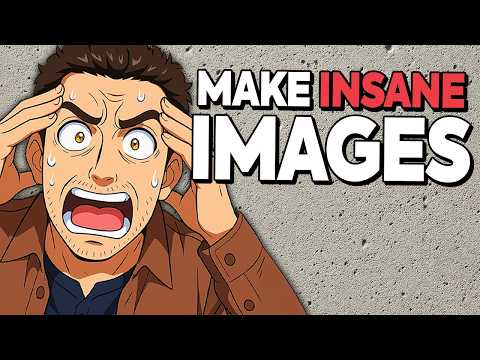
OpenAI absolutely cooked. Take a look at I know your favorite thumbnail photo of mine. Now, anime style, highly exaggerated. South Park style. Simpsons style. Of course, Studio Ghibli style. Minecraft drawing style. Hi-Rez Minecraft style. We even have Lego style. Look at some of these images that ChaiChipiti can now generate. Here's the lo-fi beats in a 3D voxel type art way. Here's the famous meme of the guy looking at the woman in the red dress. In voxel style. And of course, AI Ghibli art is everywhere. MCP is getting ignored by AI Twitter. And now it's all about the Ghibli memes. We have hilarious memes being recreated in every style possible. Here's JD Vance. And another one. This might be my favorite one. Voxel style. Watercolor style. Here's Sam Altman as that evil guy in Django Unchained. Here's more variations of that meme where the guy's looking at the girl in the red dress. Marionette style. We have rubber hose animation style. And maybe kind of like Pixar style. I mean, these look phenomenal. Here's a photo from John Knack and converted into Legos. And yeah, once again, just looks amazing. And ChaiChipiti native image is not only good at recreating images in different styles. It can create brand new things incredibly well. Look at this. I asked it to create a funny infographic about what the inside of a neural network looks like. So look at this. What the inside of a neural network looks like. Input coming in. Weights. I guess these are activation functions. And then we have the output. I used it to colorize this famous photo. Here that is. Not perfect, but definitely really cool. And by the way, here's a Wikipedia page on vibe coding. Except it's not. It's just an image that I asked ChaiChipiti to make for me. Here's a screenshot from Levels.io flying simulator. And he asked it to make it real. There it is. We can do product design with this. I mean, these actually look really cool. And so the possibilities truly are endless. All of a sudden, you don't need to be a Photoshop expert to remove elements from an image, add elements to an image, make an image transparent, and basically anything you can ever think of. Now, they just released this yesterday. They had a great live stream showing off its capabilities. Let me play that for you now. And I'll give you my thoughts as we go. Good morning, everybody. Today, we have one of the most fun, cool things we have ever launched. People have been waiting for this for a long time. We know we've made you wait, but we think it's really worth it. And we think you're going to love it. We are launching native images in ChaiChipiti. Image generation has been around for a while. In fact, one of the first things that we ever were known for was the original dolly. But image generation has been largely a novelty. You've been able to make some cool art with it. And people have done amazing things, but it has not had the power to be really useful in a wide variety of ways. The thing that we're going to launch today is native image generation in our 4.0 model. And it's such a huge step forward that the best... All right, let's stop for a second. Why are they so bad at naming? I know this is a meme at this point, but why add native image generation in the 4.0 model? Why not just add native image generation to the entire interface? Just say, make me an image and it makes me one. Why do I specifically have to be on 4.0? And then if I go to 4.5, I can't use it. And if I go to 0.1, I can't use it. I mean, none of this makes sense. The naming is so bad. Clean it up. This is really something that we have been excited about bringing to the world for a long time. We think that if we can offer image generation like this, creatives, educators, small business owners, students, way more will be able to use this and do all kinds of new things with AI that they couldn't before. And really the best thing to do is just to show it to you. So I'd like to introduce Gabe, who is the lead researcher and really the primary driver of this product. And we will... I'll hand it over. Yeah. And remember, image generation is not new. It has been done so many times. There are so many companies that do it. Dolly, Midjourney, Leonardo, Ideogram, Stable Diffusion, and a million others that I'm not even thinking of. So they really have to deliver something compelling for people to use it. So, okay, I'm going to jump right in with a demo. And the reason I'm starting off with a demo is because I'm also using these demos as my speaker notes. So it's a bit handy. Now, two years ago, when we first started this project, we were interested in sort of like maybe a scientific question about what native support for image generation would look like in a model as powerful as GPT-4. We didn't know the answer to that question. But a year later, when the model was done training, we saw a really exciting science of life. So, you know, we featured this in the... So that's a really an important distinction. This is native image generation in an LLM, a language model. It's kind of hard to understand. It should be diffusion. I'm actually not sure. I assume it has to be, but it's kind of this combined GPT-4.0 text-based model and an image model. Kind of interesting. I know essentially every other image generation model is a diffusion model, and they're kind of standalone in that. They don't also do text. A lot of models can now understand images, but not necessarily natively spit out images. So let's keep watching. You know, we saw that the model could render paragraphs of text, for example, or combine images in really very interesting and novel ways. And I think we spent a lot of time just playing this model. And I felt that sense of like joy and excitement. You know, I haven't felt for a very long time, maybe even since GPT-2. I haven't either. This was one of those really wow moments. It was a wow moment. But that model was still a bit rough around the edges. All right. And you could probably tell immediately it's slow. And they're actually going to talk about that. It's super slow. And from my testing already, it's extremely slow. And I'm talking about minutes for a single image, which really reduces the number of viable use cases for this type of image generation. Now it is incredibly accurate, incredibly high quality, which you'll see. And I'm going to show you a bunch of examples, my own examples, their examples. So stick around for a little bit. Let's watch the live stream and then I'll show you more examples. It, you know, sometimes made typos. It, you know, it was, it was kind of unreliable, I would say. Okay. And, um, so over the last year I've been refining this model to make it more accessible and more, uh, user-friendly to the average person. And so, um, okay. The image is generating as you can see. And, uh, and by the way, on the speed factor, I have noticed that GPT-4.0 in particular has become almost unusably slow as of late within the last maybe week, two weeks. Maybe this is why, maybe this deploy where they added native image generation, slowed it down completely. Have you all noticed how slow GPT-4.0 is lately? Let me know in the comments. So it seems to have gotten all the text. I don't see any typos. All right. Take a look at this. Absolutely incredible. We have blur in the background. We have increasing blur the further away from the camera, the, whatever the invisible camera would be. We have the lighting right there. We have perfect, absolutely perfect shine onto the table. All of the text here is accurate, crisp, no mistakes whatsoever. So very, very impressive. We're taking a selfie of all of us. So give me a nice expression. And so, yeah. Okay. And I'm going to ask ChatGPT to make it into an anime frame. All right. So now you know where I got the inspiration for the thumbnail of this video. In this case, it's not just getting the context of my text prompt, but it's also getting this image and it can use both of these to produce a really nice image for us. And this is possible because we train 4.0 as an Omni model. So, you know, it's a model of not just language, but images, audio, all modalities in and out. It understands them. It can generate them and it can, you know, seamlessly work across these days. All right. That was a really important fact that he just stated. GPT 4.0 is an Omni model images, text, voice in. It understands all of it. Images, text, voice out. It understands all of it out. And we just talked about that with some of their recent voice releases. Remember there are two versions of voice voice, the voice where it's literally a voice in it, understands exactly what it is and then spits out a voice. And then there's the other version, which is the slightly older approach, which is you take audio, transcribe it to text, do some kind of manipulation over text. So submit a prompt over text, get the response over text, and then convert it back into voice and output the voice. That one apparently is more stable and more reliable, but obviously voice to voice is the way to go. And it's for the same reason as what we're seeing here. When you can take in images and understand the image, there's a lot of nuance rather than, you know, converting it to some kind of description of the image or whatever it is. Whenever you convert to text, there is loss. There is a loss of understanding of somebody's voice, the tone, the emphasis, the emotion, and same with images. And that's why these Omni models are really powerful. And we have spent a lot of effort to, you know, make useful products like first advanced voice mode where audio just works seamlessly. And now this where images just work seamlessly across the board. It is so cool that we're finally getting towards this truly integrated multimodal model that just does everything. Yeah. And in this case, you know, it gives the user a lot more control because, you know, I might want a specific style or I might want to use a specific previous image I have, or, you know, a design pilot or something. And they can provide all of this context to ChatGPT. You can just use all of this and, you know, produce the thing you want. It becomes more controllable. Oh, okay. All right. We can, you know, you're already seeing the sky behind us, the plants. By the way, this goes live today in ChatGPT and Sora. I think rollout's already started. So if you also want to make an anime version of yourself, you can, you can now do that. Yeah. I think it's already out to all pro. Great. Uh, plus should be done pretty soon. Nice. It'll be available to free users too. All right. So now they're filling time now because these images just take so long to generate. And this is probably taking two minutes just to generate this one image. And you can imagine it could even go longer than that. I see. I have my little beard there. I see your expression. And my perfect, the hand sign is perfect. And my hand sign too. Yeah. Nice. What should we do next with this? Actually, to be very fair, Sam's hand sign is not accurate. He actually put the back of his hand up versus the front of his hand. And you can see right here, it actually switched it. So little mistake there. Can we make a meme out of it? Ooh, make it into a meme. Since that's on game speaker notes. Yeah. What do you wanna? Um, you know, one of the like common memes inside of open AI is feel the AGI. I have no idea what AI will think about that, but let's try it. I do feel the AGI. All right. I'm going to fast forward a bit. Let's look at the outcome. And there it is. Feel the AGI with very meme font text right there. Okay, good. All right. Now they're going to bring in the next team to talk about some other cool things. Hi, I'm Alan. I'm a research scientist at open AI. Hi, my name is Ben Chow. I'm an engineer on chat to BT. Hi, my name is Lou. I'm a research scientist at open AI. As our models get more capable, their knowledge of the world is deepening. But so far, they've really only been able to express themselves in either text or code. And I think what's really exciting about this release is that now these models can actually visualize what they know and externalize it in a visual way. That is really cool to think about. Again, the Omni model approach allows these models to what they call express themselves, very kind of human descriptor, in any modality that they want. That's what is very exciting about the Omni model. Let's keep watching. So the prompt that I'm going to try is make a colorful page of manga describing the theory of relativity. And just so fun, we'll ask it to add some humor. How well do you find that the model understands like visual humor versus just funny text? I think that given that this prompt is like so vague, it'll be interesting to see, you know, what kind of wildcardy stuff the model comes up with. This is really just like it leveraging the world knowledge that it has, writing maybe an extended version of the prompt, and then giving us a nice image. But you know, if you have... Yeah, so he just said something else, writing an extended version of the prompt. So similar to DALI, it's taking the original very broad prompt and then adding more detail, adding more description to it. Really good technique for getting more detail into your prompts without having to write it yourself. And just look how slow it's going. It is crawling. By the way, these images are much slower than previous... He talks about it. Our previous image generation thing, but like unbelievably better. We think it's super, super worth the wait. We also will be able to make it faster over time. But yeah, it's just, it's like quite the ratio of quality to time we think is already great. Yeah. Um, oh, and it looks like it's given us not only some English, but a different language here. But yeah, I think in general, um, we're hoping that this model's ability to not only generate images. All right, let's take a look. Honestly, this is extremely impressive. So we have Einstein right there, the theory of relativity, all the text looks flawless. Let's actually see the joke. So moving fast, eh, length contracts, E equals MC squared. Isn't it relatively funny? All right. So AI continues to not quite be funny, but tried and I get it. It's a joke still, but overall, the image is, is really stunning. All right, next, they're going to make kind of magic, the gathering style cards just from their own pets and they get to add their own abilities and stuff like that. So let's watch that card in my hand that I got from our Sora launch. And I thought it would be really cool if we can design a new one in the same style for all image generation. So I took a photo of it in the morning. All right. So that is not a generated image. This is an actual real card that I guess they gave out for the Sora launch. And then separately, he uploaded a picture of his own pet, his own dog, and he's going to use that. Let's watch. Instead of having the giant cat king here, I would like to have my dog Sanji to be the main character. And this is a photo of my dog. He's cute. And I've also included a couple of details that I would like to see on the card, including the name of the model, the year, and some ability where I could highlight and also the weight and height for Sanji. And let's see what the model comes up with. Why is the giant cat king the Sora? I have no idea. But I feel the trading card for Sora was designed by some professional designers. So it would be amazing if we can actually use our model to generate that. Yeah, I think our model has come a long way in terms of just very precise text rendering. So it'll be super cool to see how well it does with this detailed instruction. Can I see the original card? Yes. All right. They're filling time again, because it is so slow. I'm going to fast forward. And there's the card. So the original card, I think the text doesn't look great at the top, to be honest. It kind of looks like text was rendered on top of the image, but everything else looks great. All of the other text looks like it was written on the actual card. And yeah, here, generative AI image model. All of the attributes down here look good. The text looks good. And even the picture of his dog with the little scarf on looks fantastic. Next, she's going to create a memorial coin based on this launch. And she's actually including reference images from today's launch. So there's the card, there's the manga and so on. All right. So I just fast forwarded. Here is the actual coin and it looks really good. It looks raised in the right spots. This button looks really raised, but all of the text is correct. We have the background little speaker that you can see back there. The text, Einstein equals MC squared and so on. And what she goes on to say is you can actually ask it to flip the coin and imagine what would be on the back of the coin and so on. Enough of the live stream. Let me show you a few examples. Here's a chicken riding a duck, riding a dog, riding a horse. That is the prompt I gave it. And it looks really good. And it's more than just making the image. Well, it actually understood exactly what I was asking with a pretty complex prompt. And I asked it to make it super realistic. And here that is. I mean, this does look fantastic. Actually, the dog relative to the horse, this would be a massive dog making this a massive duck, making this a massive chicken. But other than that, all of it looks incredibly realistic. All right. So I know you all think I have a consistent headache in every single thumbnail photo. So I took that thumbnail face and I asked it to make it an anime, an exaggerated anime. And there it is. And I think that looks so very cool, but I didn't want it to be this exaggerated. So I said, make it more like the original. And here that is. And once again, just very cool. Got my eye color, right? Got my hair color, right? Kind of a little scruff. The shirt looks accurate. The undershirt, I don't actually have buttons. So there's the reference image. It's just a regular shirt, but it added buttons there. Fine. Now here's another one with my background. And I said, remove the background. And there that is. Now the background was removed, but my face looks very weird. It looks like it was almost like airbrushed. And yeah, it does not look very good. Although the background was removed. Then I said, make this one into an anime. And this looks really cool. And remember you can edit images. So here I said, make me an image of a dog. This looks flawless. I would never be able to tell that this was AI generated. Then I said, put realistic glasses on the dog. And you can see some of the nose is kind of covering a little bit of the lens of the glasses. It could look a little bit better with the ear placement, but still very nice. And then look at this. I said, make the dog look really mean. So scrunched up nose, showing the teeth, the eyes are now looking more angry. And of course the glasses are still there. So very cool, very easy to do. Now I also asked it to make a logo for my business forward future, and it actually made a mistake with the text. This should be the easiest one for world future. But I said, give me another be as creative as possible. And it did not make another mistake. So there's forward future, although that's not very creative. I said be a hundred times more creative. And there that is. I think that's really cool. Now look how realistic some of the examples they showed on the announcement blog are. So a wide image taken with a phone of a glass whiteboard in a room overlooking the Bay Bridge. And we can see the Bay Bridge right there. The field of view shows a woman writing and look at this writing on the board. I mean, this is flawless writing. All of the text is correct, but it literally looks like it was written on a whiteboard sporting a t-shirt with a large open AI logo. The handwriting looks natural and a bit messy and we see the photographer's reflection. Amazing. This is absolutely stunning. And then selfie view of the photographer as she turns around to high five him. I mean, it's just absolutely flawless, although they're missing the high five. Everything looks great. The mouse, the eyes, the fingers even look right. Everything really nice. Here's another one. Meaningful words. Magnetic poetry on a fridge in a mid-century home. Line one, a picture. Line two is worth. Line three, a thousand words, dot, dot, dot, dot. A picture is worth a thousand words, but sometimes in the right place can elevate its meaning words a few. So it did that really, really nicely. It's just so accurate with its generations. Here's a comic strip. Make an image of a four panel strip with some padding around the border. A little snail is at the counter of a flashy car showroom. The salesman has leaned way over the desk to see him. And it really just says everything that it wants to say in there. And all the text is beautiful and the styling is beautiful as well. And if you need cool, beautiful infographics, look at this. So here's the prism experiment. Light comes in, refracts different colors, and we have the entire color spectrum. So just a single prompt is all you need. And you could just generate so many cool things. And then look at this. Now take that, the exact same thing we saw here, put it on a notepad in Washington Square Park. It is so impressive. Now the same scene with a smug young Isaac Newton sitting at a table with a prism. There it is. Now his face does not look very accurate. It looks like maybe a wax sculpture, but it still looks beautiful overall. Now here's kind of a famous picture without the witches, but there was a picture like this where it was just a crazy complicated parking law situation. And I think it was GPT-4 was the original one when it first got images, maybe GPT-4-0, where it said, when can I park here? And it figured it out. But now they say, just add two witches reading it. Here is a menu concept. So I'm absolutely gorgeous. Once again, I mean, this is really useful. If you are a professional in any way, if you're a restaurateur, if you create thumbnail images, if you create websites, if you do photography, you can make these subtle changes. You can create things from absolute scratch. Very cool. So it even has in context learning. So you give it a bunch of examples. As you can see here, these are kind of small of images that are like what you want. And then you can give it kind of a new description of a new version of that image. And it looks almost identical. Here's a photo realistic image of a blue chainsaw. Looks pretty good. And then make an ad for this chainsaw of grandma carving Turkey at Thanksgiving dinner table at a tagline. And there's that same chainsaw. So turn this scene into a photo shot on a DSLR. So this is kind of an old painting or drawing. And there it is realistic looking beautiful and same thing. So take this kind of architectural picture and make it into a photo. All right, let's take a look at a few more. So here's Karl Marx hurriedly running through the parking lot of Mall of America. A cat looking into a puddle of water on the street, but its reflection is that of a tiger. Very nice. Okay, here's a great one. Generate a candid Polaroid style photograph of four diverse friends in their early 20s at a gritty dive bar. Generate a realistic image of farmer's market in Toronto on a Saturday in summer 2006. So they kind of printed the date on it like old school cameras used to do. Here's a blurry old analog film photograph picture of parked car on side street quiet night at that. Here's a cool one. The cat does not look real at all, but everything else looks more or less real. Here's one alone astronaut floats inside a vast space station painting swirling galaxies onto a massive canvas that hangs. There's a horse running through the ocean. Here's kind of a realistic underwater scene with dolphins swimming through the windows of an abandoned subway car. And it's not perfect. Let's look at some of the limitations that they list. So cropping. So you do not get the full image. It kind of looks like there should be more, but there isn't. It also gets hallucinations. So like our other text models, image generation can also make up information, especially in low context prompts, high binding problem. So when generated images that rely on its knowledge base, it may struggle to accurately render more than 10 to 20 distinct concepts at once. So it's kind of spelling things wrong. There's doing it more than once diamond super combording. Yeah, not right. Precise graphing. That's hard to do. I can imagine. Okay. Multilingual text rendering Korean alphabet. That's still a problem. The model sometimes struggles with rendering non Latin languages and the characters can be inaccurate or hallucinated editing precision, dense information with small text. So definitely far from perfect, but very, very cool. Definitely take a look, try it out. Let me know what you think. And if you enjoyed this video, please consider giving a like and subscribe and I'll see you in the next one. Thank you. You View