Open transcript
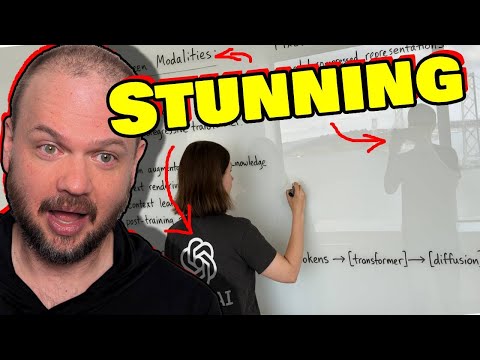
Opening AI announces their GPT-4.0 image generation. You're able to create whatever image you want within the ChatGPT interface. It seems very good, not just that image generation, but very coherent text, image editing, its ability to draw on world knowledge to do sort of the visual reasoning. This is the thing that we've been waiting for a while because they've showed images like this in the past, but it's never been released. Looks like it's ready for prime time and it's rolling out right now. A lot of you have already access to it. So let's take a look at their announcement videos and we'll look at the actual capabilities of this model. Let's check it out. Good morning, everybody. Today, we have one of the most fun, cool things we have ever launched. People have been waiting for this for a long time. We know we've made you wait, but we think it's really worth it and we think you're going to love it. We are launching native images in ChatGPT. Image generation has been around for a while. In fact, one of the first things that we ever were known for was the original Dali, but image generation has been largely a novelty. You've been able to make some cool art with it and people have done amazing things, but it has not had the power to be really useful in a wide variety of ways. The thing that we're going to launch today is native image generation in our 4.0 model. And it's such a huge step forward that the best way to explain it to you is just to show it, which we'll do very soon. But this is really something that we have been excited about bringing to the world for a long time. We think that if we can offer image generation like this, creatives, educators, small business owners, students way more will be able to use this and do all kinds of new things with AI that they couldn't before. And really the best thing to do is just to show it to you. So I'd like to introduce Gabe, who is the lead researcher and really the primary driver of this product. And we will, I'll hand it over. Hey, so I'm Gabe, lead researcher. Hey, I'm Praful. I'm the head of multimodal research. So, okay, I'm going to jump right in with a demo. And the reason I'm starting off with a demo is because I'm also using these demos as my speaker notes. So it's a bit handy. Now, two years ago, when we first started this project, we were interested in sort of like maybe a scientific question about what native support for image generation would look like in a model as powerful as GBT4. We didn't know the answer to that question. But a year later, when the model was done training, we saw really exciting signs of life. So, you know, we featured this in a four blog posts, if some of you will remember. And, you know, we saw that the model could render paragraphs of text, for example, or combine images in really very interesting and novel ways. And I think we spent a lot of time just playing this model. And I felt that sense of like joy and excitement. You know, I haven't felt for a very long time, maybe even since GPT-2. I haven't either. This was one of those really wow moments. It was a wow moment. But that model was still a bit rough around the edges. So, you know, it's, you know, it, you know, sometimes made typos. It, you know, it was, it was kind of unreliable, I would say. And so over the last year, I've been refining this model to make it more accessible and more user friendly to the average person. And so, okay, the image is generating, as you can see. And let me see. So it seems to have gotten all the text. I don't see any typos, which is good. Okay. It's still amazing to me to see, and, you know, image generation with perfect text, it shouldn't be that impressive. But somehow we've been waiting for this for so long. And every time it happens, it's like, wow, that's so cool. Yeah. And the number of things that like this image had to get right in the instructions, like the, you know, what you want focused on, not like the, that it should be a point of view image and where we are, and then sort of to get, you know, having the text, like, that's just, this is still amazing to me. Yeah. And point of view images are actually really hard to do. And this kind of looks like what we see right now. It looks like you were just looking at, yeah. All right. Well, I am going to begin my demo by taking a selfie of all of us. So, give me a nice expression. Oh, yeah. Okay. And I'm going to ask chat GPT to make it into an anime frame. Nice. So in this case, it's not just getting the context of my text prompt, but it's also getting this image and it can use both of these to produce a really nice image for us. And this is possible because we train 4.0 as an Omni model. So, you know, it's a model of not just language, but images, audio, all modalities in and out. It understands them, it can generate them and it can, you know, seamlessly work across these things. And we have spent a lot of effort to, you know, make useful products like first advanced voice mode, where audio just works seamlessly. And now this, where images just work seamlessly across the board. It is so cool that we're finally getting towards this truly integrated multimodal model that just does everything. Yeah. And in this case, you know, it gives the user a lot more control because, you know, I might want a specific style or I might want to use a specific previous image I have or, you know, a design pilot or something. And they can provide all of this context to chat GPT. You can just use all of this and, you know, produce the thing you want. It becomes more controllable. Oh, okay. All right. We can, you know, we're already seeing the sky behind us, the plants. By the way, this goes live today in chat GPT and Sora. I think rollout's already started. So if you also want to make an anime version of yourself, you can, you can now do that. Yeah. I think it's already out to all pro. Great. Plus should be done pretty soon. Nice. It'll be available to free users too. I see. I have my little beard there. I see your expression. And my perfect, the hand sign is perfect. And my hand sign too. Yeah. Nice. What should we do next with this? Can we make a meme out of it? Ooh, make it into a meme. Since that's on game speaker notes. Yeah. What do you want to? You know, one of the like common memes inside of OpenAI is feel the AGI. I have no idea what AI will think about that, but let's try it. I do feel the AGI. Yeah. And in this case, right? Why that anime thing is so good. Yeah. And in this case, you know, the model is seeing all of the past context as well. And, you know, it uses all of its knowledge of, you know, language and memes and everything to give us a new rendition. And this multi-turn nature makes it even more useful to people, right? Like I can ask for any edit I want. If it gets it wrong, I can just be like, hey, you know, fix that thing. I think that, you know, is taking us into a direction of making these more like tools, not toys for people. And I think I'm really excited by that. Speaking of memes, how much like, how much do you think Foro knows about like common internet memes in general? Like if we had picked? I think it knows a lot. And in fact, when we first put this out to, you know, people inside OpenAI, most of what we got was memes from people. Maybe Gabe can tell you more about that. Yeah. I mean, you know, memes were like one of the number one use cases for this model in our internal version. And yeah, I was just thinking about, you know, memes and why this use case, you know, kind of struck a chord with the company. And I, what I realized is that, you know, as in the last nine months, as I've been working on this model, I've been doing this kind of like meditative exercise, where I sort of like, look at all the images around me, and I realized I'm just surrounded by, you know, hundreds of images, maybe a day. And you know, all these images, you know, not necessarily the most aesthetic or beautiful images, but they were all created with intent. You're all, you know, like memes, they were all created to, you know, to persuade, to inform, to educate. These are the workhorse images that, you know, comprise our everyday life. And what I'm very excited is that I'll be able to be giving this power to create workhorse images to everyone in the world in chat to BT. Speaking of this power, we are giving a much higher degree of creative expression and creative freedom than we normally do. And so what we'd like is for the model to not be offensive if you don't want it to be. But if you want it to be within reason, really let people create what they need and what they want to eat, what they want. And, you know, we may not get the line there perfectly on day one, but we think given what Gabe just said, we want to lean pretty far into creative freedom and let people get maximum utility out of this model. You know, we're excited to see what people will do with it. Yeah, me too. Let's look at the meme we got. That's great. Okay. So thank you guys very much. And we're going to welcome a few other research and product people to show some more stuff, unless either of you have anything else. No, thanks, Sam. Yeah, thank you. So just wanted to jump in here really fast, give some thoughts. So first of all, notice that this image now it's going to be flipped is going to be sort of a mirror image once it is uploaded to the computer. So this is going to be the actual image. Okay. So notice the guy in the middle, he's kind of doing the okay symbol. Sam Altman is doing the peace symbol and notice there are shirts, the type of shirt that they're wearing and the shirt colors, right? And then the plant in the background, the window, the light, this orange divider, space divider, wherever that is. Here's the output image. So number one, I mean, the character consistency is excellent. First of all, I mean, notice that it does nail everybody's sort of ethnicity where they're from. It doesn't necessarily look like them. It looks like the anime versions of them, but you know exactly who's who the shirt colors are perfect, right? So you got a button down shirt. That's brown. You got a sweatshirt looking like thing. And that's whatever color that is gray. And then Sam Altman is wearing kind of a blue green. I don't know what all the colors are called, but the point is the thing kind of nails the exact shirts that they're wearing, the colors. And I will also say kind of like the hairstyles, skin tones, ethnicity, like just everything. This is like looking really good to me. It didn't pick up on the mics that they have, the lapel mics, but you know, maybe it's not supposed to. The hand gestures are, in a word, good. You know what I mean? Definitely picks up the fingers, look pretty good. Again, I mean, if I zoom in, I'm sure there's some weirdness. I can't quite tell like if it's three fingers or two, but I mean, the point is at a glance, it looks phenomenal. The background is very high fidelity. So the window, I'm going to flip to the previous image just a second, but notice, so it's got the window, that orange curved divider, it looks more like a curtain in that one, but everything in the background, notice that this leaf right here, it's a little bit more brown. And compare that to the image that they took, right? So again, you got this kind of a brown leaf. This is more of one of, I think it's one of those like dividers that you put in the middle of the room, room dividers. It's not really a curtain as far as I can tell, but that's super impressive because it did. It's not a filter that applied to everybody. It's not like it took this image and it created like just a different color scheme or whatever. It's recreated the image here. Here's that again, recreate the image with the people, the plants, everything else, but it's sort of like a different sort of like how they're arranged. The viewpoint is a little bit different. They're different sort of characters, but the sort of the fidelity to the original is really, really good. If this is the quality that we can hope to expect, this is going to be very, very good. So in addition to building, you know, all of the great research that went into this, we really wanted to work hard to make it a great product experience as well. And so if my colleagues want to introduce themselves, maybe starting with Alan, we'll then show you a few more things. Alan, I'm Alan, I'm a research scientist at OpenAI. Hi, my name is Ben Chow. I'm an engineer on Chachabiti. Hi, my name is Lu. I'm a research scientist at OpenAI. So as our models get more capable, their knowledge of the world is deepening, but so far they've really only been able to express themselves in either text or code. And I think what's really exciting about this release is that now these models can actually visualize what they know and externalize it in a visual way. So the prompt that I'm going to try is make a colorful page of manga describing the theory of relativity, and just for fun, we'll ask it to add some humor. How well do you find that the model understands like visual humor versus just funny text? I think that given that this prompt is like so vague, it'll be interesting to see, you know, what kind of wildcardy stuff the model comes up with. This is really just like it leveraging the world knowledge that it has, writing maybe an extended version of the prompt, and then giving us a nice image. But you know, if you have a much more detailed sense of the kind of story that you want to convey in this kind of thing, like a manga or an image or in general, you can definitely do that. This model is very good at following instructions. And in the blog post that we just put out, there's a lot of nice examples of how you can do exactly that. By the way, these images are much slower than our previous image generation thing, but like unbelievably better. We think it's super, super worth the wait. We also will be able to make it faster over time. But yeah, it's just it's like quite the ratio of quality to time, I think, is already great. Yeah. Oh, and it looks like it's given us not only some English, but a different language here. But yeah, I think in general, we're hoping that this model's ability to not only generate images, but also blend in precise text in the right ways, makes it not only a tool for imagination, but also for for learning and for communication. It did add some humor. Yeah, yeah, I like the layout. Yeah, and definitely quite colorful on the softener. That's beautiful. Thanks, Alan. So Alan just showed us how much this model can shine in professional and educational environments. But what I love the most about this model is how accessible it is to everyone. For someone like me who don't have professional artistic skills, but still enjoys expressing my creativity. To show you what I meant, I prepared something special. Let's kick it off. So I was inspired by this trading card in my hand that I got from our Sora launch. And I thought it will be really cool if we can design a new one in the same style for full image generation. So I took a photo of it in the morning. This is what it looks like. But instead of having the giant cat king here, I would like to have my dog Sanji to be the main character. And this is the photo of my dog. He's cute. And I've also included a couple details that I would like to see on the card, including the name of the model, the year, and some ability I would like to highlight, and also the weight and height for Sanji. And let's see what the model comes up with. Why is the giant cat king the Sora? I have no idea. But I feel the trading card for Sora was designed by some professional designers. So it would be amazing if we can actually use our model to generate that. Yeah, I think our models come a long way in terms of just very precise text rendering. So it'll be super cool to see how well it does with this detailed instruction. Can I see the original card? Yes. Oh, it's very nice. Yeah. It looks like it's already reviewed. We should do these for every launch. These are cool. Yeah. I guess now we can make them with a machine. Yeah, we should definitely do it. Yeah. And yeah, Sanji is snowboarding, which is something I've never seen him doing in real life, but it'll be cool. The text is also very crisp. Yes. Yes. And it got all the stats correct. That's amazing. Thank you for letting me share this little creative moment with you. And now I'm excited to pass it on to Lu to show you more innovative ways of using our product. Yeah, sure. I'm very happy to share that with everyone today. So we've seen the generation from Alan and Meng Chow. So today I'm going to do something very special here. So I'm going to make a memory coin based on the generations from these two and also another two pictures that is in our background. So I'm going to first copy the pictures from Alan and also the pictures from Meng Chow and the rest of the two are the background we show here in the demo. So I would like to also use a special hex code here. So as you can see, this special hex code is a spring color because 4.0 and this launch both launched in spring. So I would like to it to be a unique color for us. And also I would like to include the text for image gen and today's date on this memory coin. So we can make a souvenir for us for today. So you can see this model is trained in an autoregressive way. So it is able to understand both text and multiple images in context and seamlessly render it in a very harmonious way in a coin. So it's able to...can you imagine how this coin will look like based on this? Not easily from that but I'm excited to see. Yeah, yeah me too, me too. That's what I'm thinking of also. So we are seeing here so we have the 4.0 image gen and we have the bear that is the artistic bear there, the radio there, and also Alan's manga and now let's do meeting Sunji. That's so cool. Cool, that's very cool. I want one of those. Yes, I agree. So now I'm going to make it a transparency background because we really wanted this coin to be printed out so we can have this coin physically for us. So as you can see the model not only can understand context in one second, it is also understanding the context across multiple terms in context. So from today we can just chat to ChatGPT in a more visual way. And this is just a very simple example. Make a transparency background. You can also talk to the model for example, imagine how will this coin look like on the back set or we can make a unique color for Alan and Mengchao and me to have a different unique color for each one. And other than making the background transparent, how good will it be at keeping the actual coin itself consistent between the two? Yeah, it's very good at keeping the editing consistent. So that is also to see you can use ChatGPT from today to do image editing and image refinement in ChatGPT and using a very chatty language. Cool, here so we see the coin here and it's in transparent background now and it's keeping the consistency between the previous generation. That's awesome. Yeah, it's very cool. Yeah, it's very cool. Well, we're so excited to get this out to the world. It goes live today in ChatGPT and Sora. It will come to the API soon. We really think this is a huge step forward in what AI models are capable of doing visually and we cannot wait to see what you all will create. Thank you very much and again, congrats. Thank you. Thank you. Thank you. All right, so that looked pretty exciting. So opening, I introduced the 4.0 image generation. We also saw something similar with Google doing their image generation and image editing functionality in their new model, which we've tested out last week. I was very impressed with it. I referred to it as a Photoshop killer, which some of you didn't like because yes, it's not quite ready to replace Photoshop quite yet. But the point is, if we're moving in this direction, we're able to just edit images by just talking to it. Then for the vast majority of people, the thing that they're going to use to edit images will not be some specialized software that you have to learn. It's going to be whatever chatbot they're using. And you saw that happen right there for, for example, for her being able to generate a transparent background. So I assume it generates probably PNGs, something that supports transparent backgrounds. So as this technology gets better, this might become a better and better tool for doing a lot of the sort of image editing that we're doing. But let's take a look at what kind of examples they have for us. So here's a prompt that describes a scene, a room overlooking the Bay Bridge. We see a woman writing, sporting a t-shirt with a large OpenAI logo and the text that's on the whiteboard here. And this is absolutely phenomenal. So again, a wide image taken of a phone of a glass whiteboard in a room overlooking the Bay Bridge. That's so it's a little bit of an interesting take because we're seeing the view outside reflected. But obviously, it's taken from a phone, it nails the OpenAI logo on a t-shirt, the woman writing on the board. And take a look at that text. It's phenomenal. If you kind of look at this sort of thing here, this diagram, it captures it perfectly. As far as I can tell, I just at first glance, it looks phenomenal. It looks phenomenal. Now they do note here that this is the best of eight. So they do eight generations. And this one was the best one. Selfie view of the photographer as she turns around to high five him. That's exactly right. So it's the selfie view of the photographer, right? So he's holding the camera there, high fiving. Notice the text still is very legible. Notice here the T in tokens is covered up here, we can see it. So it's like it regenerates the text from the previous one, it looks like everything looks phenomenal. Of course, if you really wanted to nitpick, I guess you could kind of point to this area where I don't know, it seems like maybe it's a little bit distorted and a little bit funky. The hands are ever so little bit off. But I feel like it's hard not to give this just an A+. So take a look at this prompt. I mean, if this is kind of the standard work that it does, it'd be absolutely incredible. So there's two witches in her 20s reading a street sign. So if you've ever seen one of those street signs where it's like 50 million different things about like street sweeping hours, parking permits. So there's a few real ones that we just tell it to figure out what to put on there. And then a few ridiculous signs. And we're saying paraphrase it to make it legitimate, like legitimate street signs like broom parking for which is not permitted magic carpet loading describes the characters. And here it is. Reindeer parking by permit only December 24th and 25th. And violators will be placed on the naughty list, I assume. I mean, this is phenomenal. We have multi-turn generation. So we create a cat, then give it a Sherlock Holmes hat and the monocle, or rather it looks like this is a real cat they uploaded. Then we get some prompts. Next, of course, we turn this character into a AAA video game made in a 4K game engine. There it is describing the mini map. I'm not going to read the entire prompts, but you got to understand that they're giving some very specific instructions and this model is nailing it. Notice this one is also best of one. So it just one shot of this thing. Now we're changing the landscape and the ratio, adding some more spells, unzoom a little bit more, third person going with a steampunk Manhattan kind of settings. I mean, it nails it. Here's the player menu with the various quests and maps and characters and inventory. Notice that cat, that's the same cat. I mean, here's kind of the original kind of notice. Notice it's coloring with the black thing down its face, the white sort of chest and chin. I mean, that's really good. Like if that was your cat, right? You see it every day. You'd be like, that's my cat in this image. The markings are very, very accurate. That seems great. We got some instruction following. So here's the output and this is the directions it's given. So it's an image with a four by four column grid containing 16 objects. That's a difficult prompt. Blue star, red triangle, et cetera, et cetera. And here's that sort of output. Opening eye in cursive, the blue giraffe, a rainbow colored lightning bolt, 42 in tie dye. I'm guessing, let's see, tie dye 42. This nails it. Like I can look at this and tell you what they probably wrote to make this happen. Or I can look at the prompt and see what it generated. It looks great. Here's an empty city. So it's able to create a wow. So this is Times Square, New York City in the afternoon. No people, vehicles or illuminated billboards. So it still has like the spaces for the billboards, but just nothing on them. No lights, no people. That's pretty good. I got to say. Oh boy, a wine glass. OK, so if you are not aware of this, for some reason, there's this whole thing about ChadGPT. Well, Dali specifically, actually completely not being able to create. I've heard of it as a full glass of wine. You know what I mean? Like every time you ask it for a full glass of wine, it's always half full. And no matter how you prompt it, it will never create a full glass of wine. So here they're asking for a glass with the tiniest drop of wine in it, which this nails. And we're going to test to see if it's able to do a full glass of wine. Oh, this is terrific. So we need evidence that there's a currently present invisible elephant. Consider what an elephant is and does in the environment and show us that. Perhaps mid-process. But the elephant itself is not shown at all. With a lot of these models back in the days, if you told it not to show an object, you would see some weird outputs. Like if you saw, show me a picture of the Serengeti, no elephants. Make sure there's no elephants in it. Like it would always like there would be like somewhere in the corner hidden behind a tree, kind of like an elephant peeking out. Like it would always have to generate an elephant. It's like one of those things where it's like, don't think about the elephant. But this, I mean, I would give this an E+. It's a currently present invisible elephant. There's no elephant visible as far as I can tell. And the fact that you can produce math equations like this is very, very impressive. Notice it's kind of changing the, you know, the square root into the symbol. So it converts it from sort of text representation to like the symbol representation. It's really good. Because I mean, this is how you would type it in, right? But this is how you would write it on the board. This is terrific. We have in-context learning. So GPT-4.0 now can analyze and learn from user uploaded images, seamlessly integrating their details into context to inform image generation. So we got a bunch of reference images that kind of give it the style, kind of like how the diagram is laid out. But instead of circle wheels, we're asking for triangle wheels. And I got to say that that's a very, very good best of 16 this time. So maybe it took a little bit more tries, but I mean, this nails it. Now put this in a photo taken in New York City. This is great. Photorealistic image of a blue chainsaw. And now use that chainsaw to show grandma carving turkey at Thanksgiving dinner table. Add a tagline, carve out more memories. Terrific. Terrific. So we're giving it this sort of image, an art image, and we're trying to turn it into a Photoshop on a DLSR camera. And yeah, I mean, it nails it. Take this building and turn it into a photo. That's terrific. Notice that the sort of the decorative windows, it seems very consistent with the image. It seems like it nails everything. So I'm not sure if these are supposed to be windows or doors. Probably doors. It decorated. It made two of them doors and two of them windows. But I feel like it nailed it because it's hard to tell exactly what it is. So it did its best. It kind of probably reasoned through it. It would make sense. It's got three doors, two windows. I mean, this is an A. And now it does have world knowledge that it's able to link its world knowledge between text and images. So for example, we take some code, 3JS, make an image of what this means to you. It produces this IM4O. How does it know? Well, it knows because we're loading some specific fonts. We have some lighting, ambient light and directional light. We have a certain camera position that we're using. We're specifying the texture of the thing that we're writing on, the words IM4O, and where it's positioned, where the logo is, where the text is. This is very, very cool. I mean, it's literally looking at code and producing an image based on that code. Here we're asking it to have a shot of photorealistic top-selling cocktails in the bar with the recipes written kind of next to them. So this would require it to know what the four most popular cocktails are, what the recipe is, kind of link that to what they're looking like. I mean, this is excellent. We have a weather infographic explaining why San Francisco is so foggy. Types of whales in effervescent watercolor style. So they do walk us through some limitations where the model might struggle. So cropping images might be an issue. You might have certain hallucinations, high binding problems. So if you have a lot of concepts, like here, if you have more than 10 to 20 distinct concepts here in the periodic table of elements. As you can see here, it's sort of some of these kind of break down. You can't tell what they are. Precise graphing can be an issue. Multilingual text rendering, editing precision, and dense information with small text. Again, these might not be the best use cases for the model. It is a limitation. Ellie Miller looks like has been messing around with it. So here's an example of what she's been able to produce. How to live in New York, move too fast, pay too much, shove past people, and complain constantly. Terrific. And here's a person holding that sign in New York. This is really, really good. Here's Elvis meeting Napoleon at Waterloo. I mean, that's pretty good, right? Here's a photorealistic version of that. Still, still great. Napoleon is wearing a rubber duck on his head, and Elvis's pants have the ideal gas law printed on them. Well, there you go. But I gotta say, I love this one. The fact that it captured kind of that drawing style, I like this. That one was from Ethan Mollick. So it looks like real people testing this stuff are very, very impressed. The precision in the text is looking great. Very, very impressive. So we're going to be testing it very, very soon. I got my prompts lined up. And we'll do a full kind of a deep test dive, see what it's good at, what it's not so good at, coming very, very soon. But let me know what you think about this. Are you excited that we're going to be able to have stuff like this just in the regular ChatGPT interface? Have you had a chance to play around with it yet? Let me know in the comments if you made it this far. Thank you so much for watching. My name's Wes Roth, and I'll see you next time.